Commerce surface
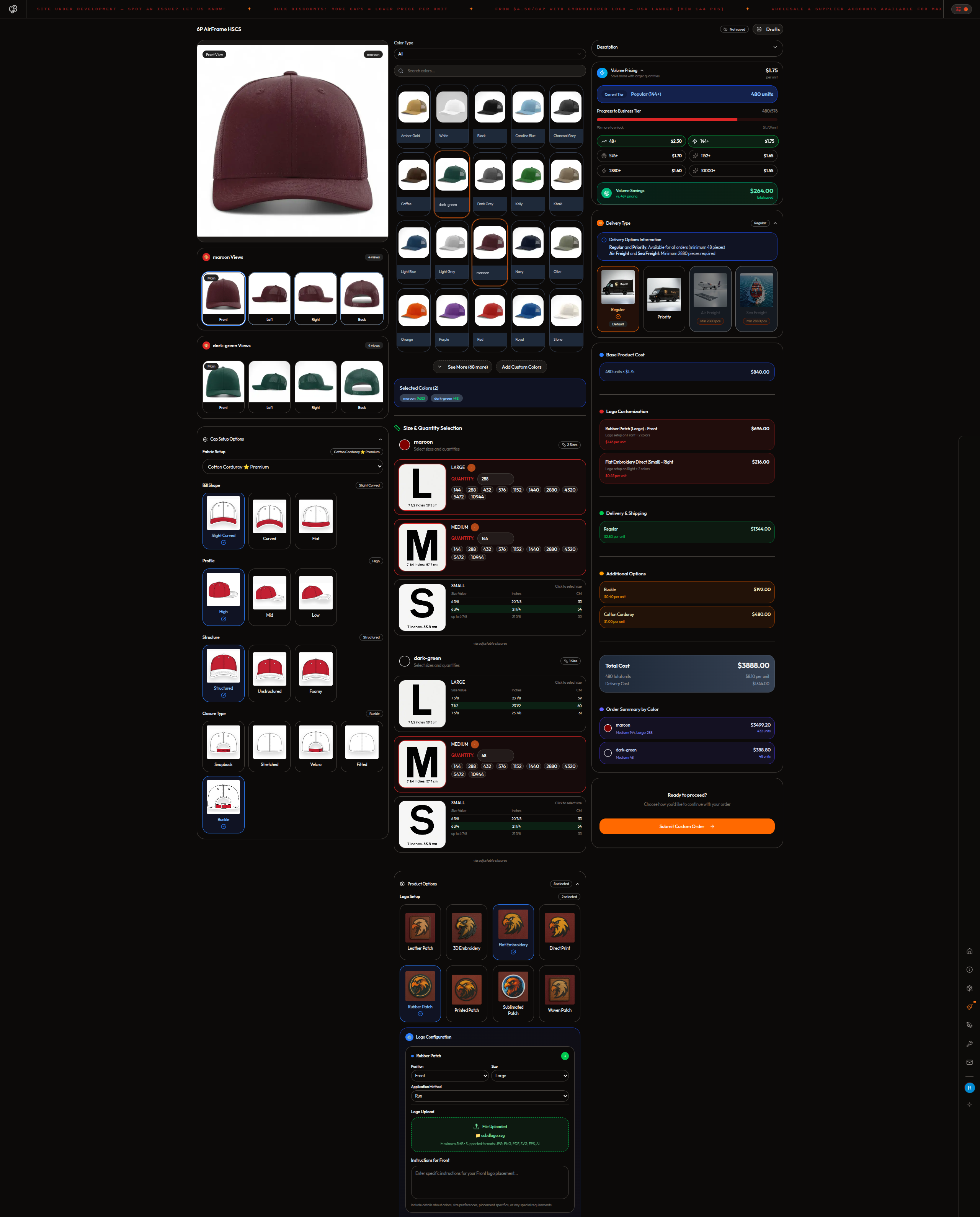
Products, volume pricing, customization choices, quotes, and order submission.

A factory commerce system, not just a storefront.
I built one connected product for cap selection, artwork preparation, order administration, invoicing, and production tracking. That engine also supports a wider wholesale, supplier, and marketing ecosystem. The current interface record below replaces the older gallery as the source of truth.
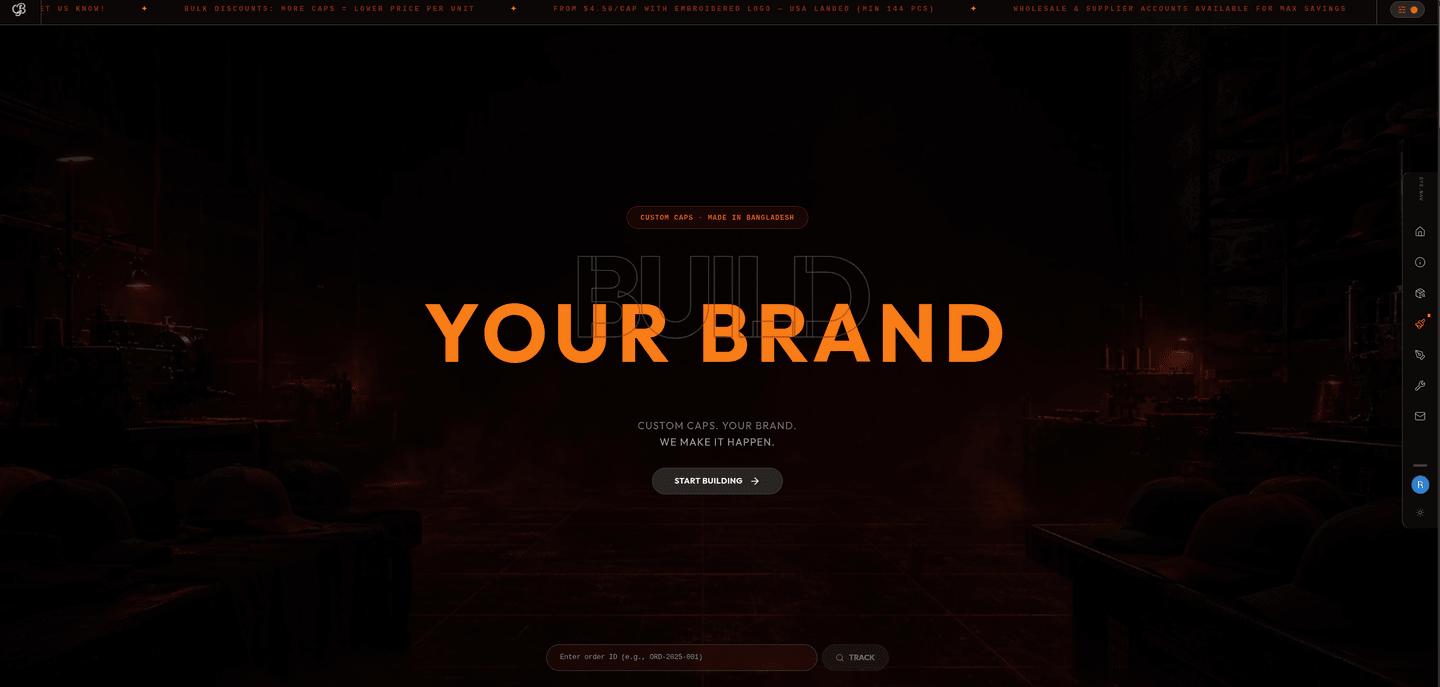
These captures are the present build record: the public storefront, artwork workspace, operating ledger, invoice flow, and customer tracking surface. Playback is manual and every clip has a still fallback.
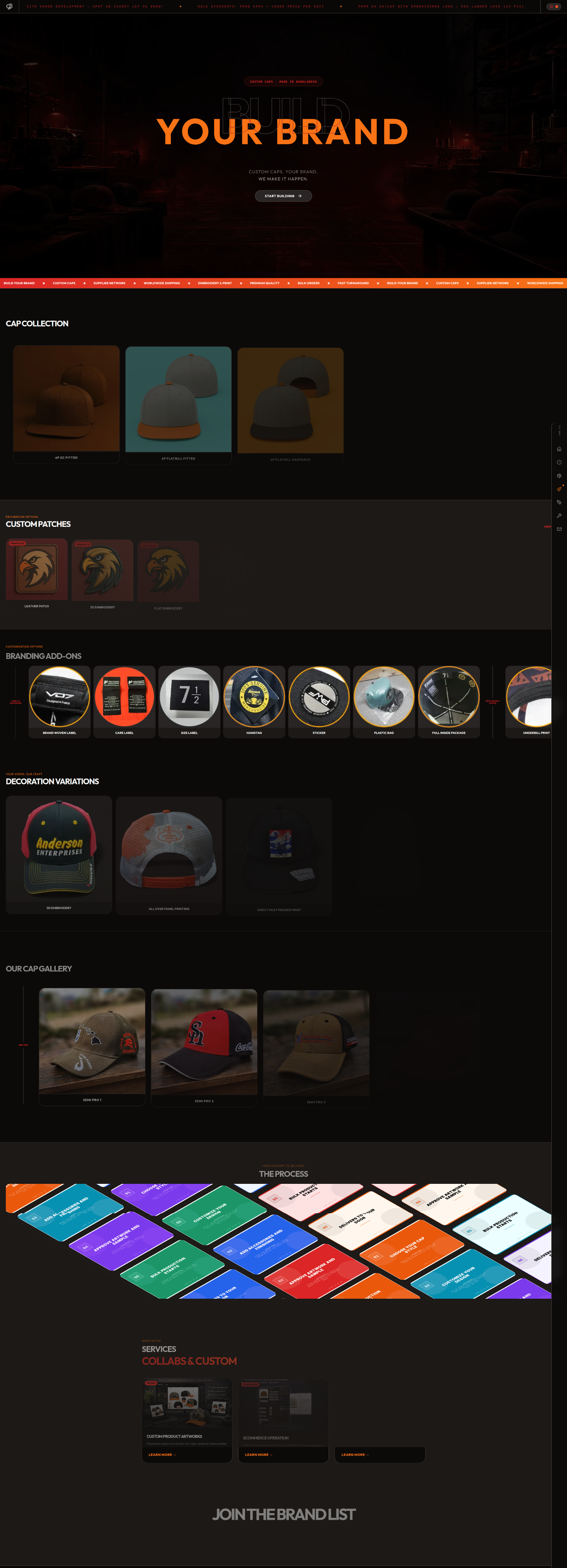
CustomCapBD.com is a full-stack e-commerce platform I built solo for my own custom-cap factory in Bangladesh. It is an end-to-end build with no Shopify and no template. A built-in theme system puts dark and light variants on the same page, with Tailwind tokens driving every color.
Sanity owns the catalogue content, while Next.js revalidates the live site without a code redeploy. Next.js 16 and the App Router handle the front end; Convex holds real-time configuration state; Supabase Postgres stores orders with row-level security; and Clerk handles customer, admin, and factory identities.
The quote surface uses React Hook Form and Zod. Quantity checks live pricing bands in Supabase, while artwork uploads use Supabase Storage with row-level access for the customer and admin.
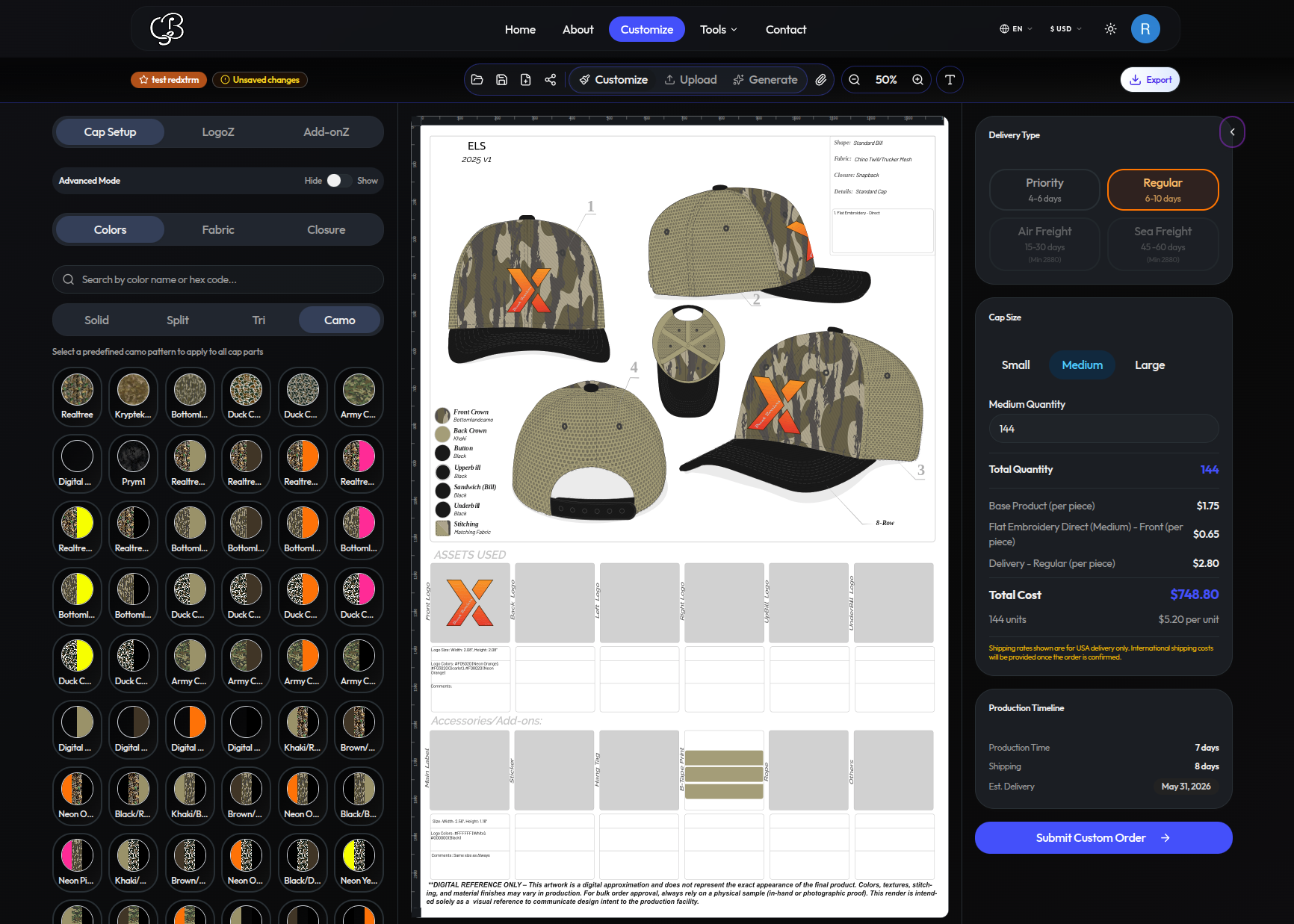
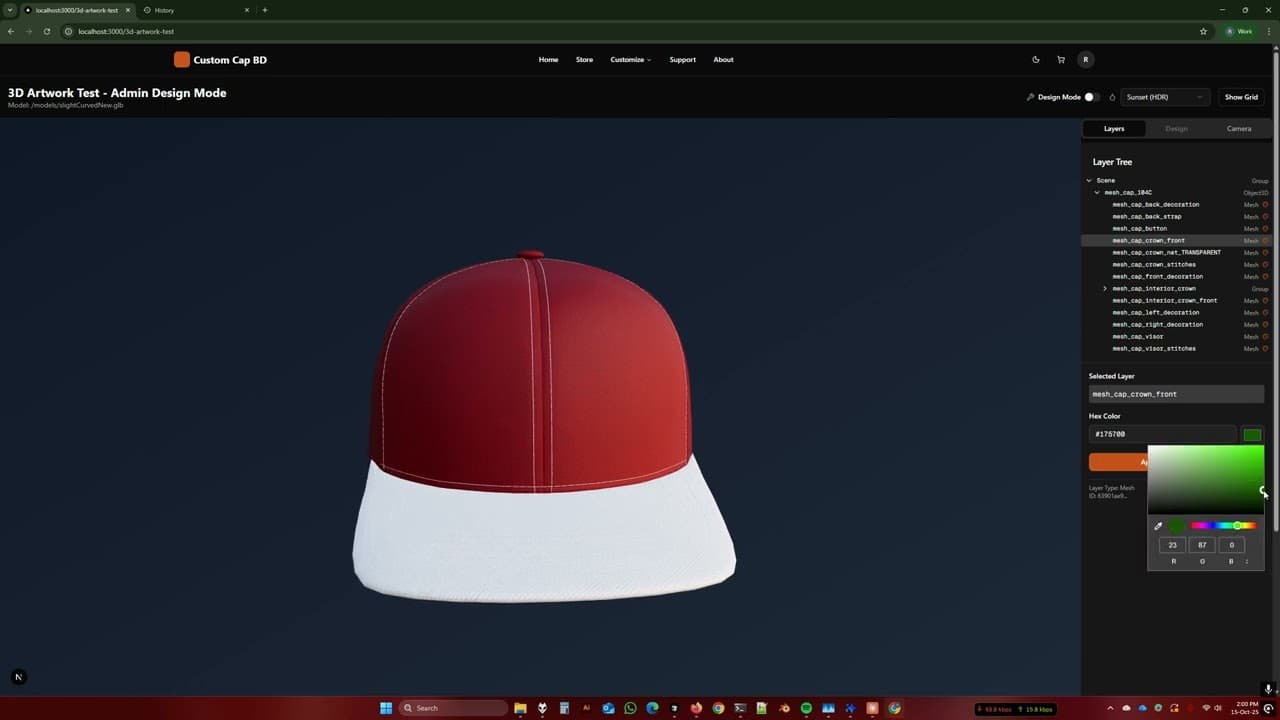
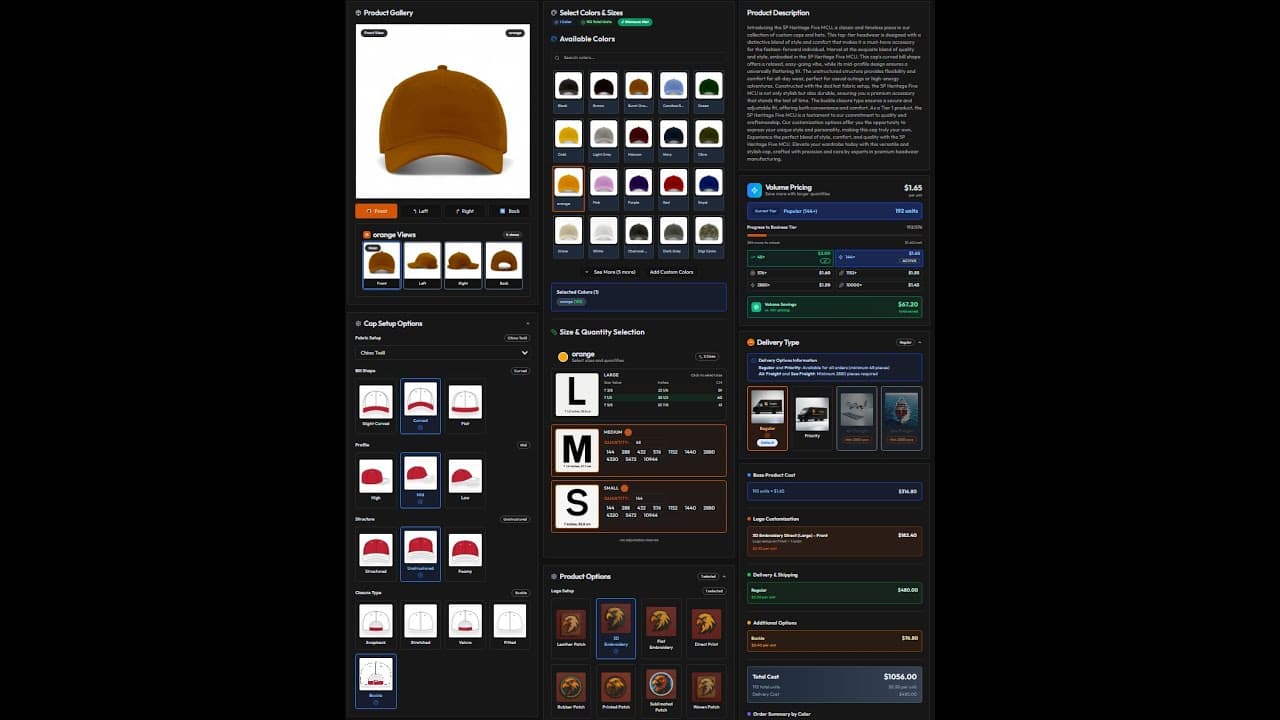
A color or fabric change rerenders the cap in the browser without a reload. A customer can drop in a PNG logo; the app vectorizes it, extracts the brand colors, and lets the customer place it on the cap.
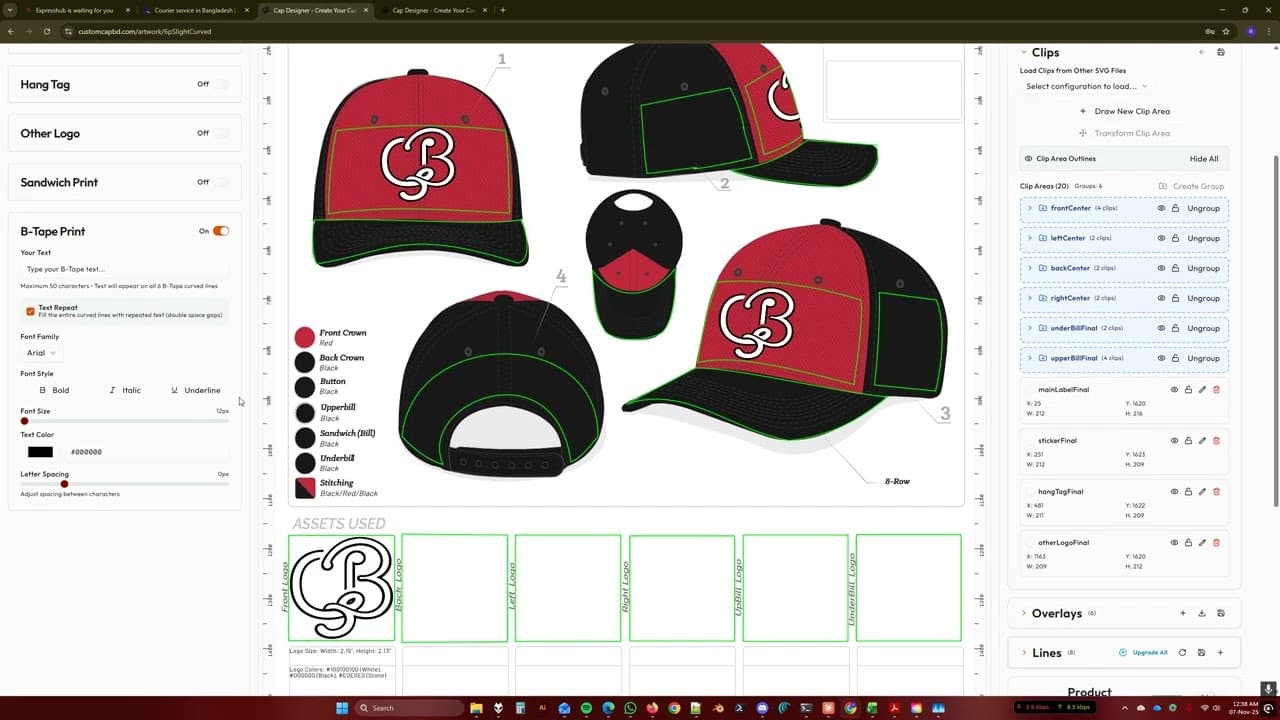
Every color, fabric, and logo choice fills a real production specification sheet for the factory. Quantity changes recalculate pricing against Supabase tiers, and submitting sends the design, artwork, and notes directly into the admin queue.
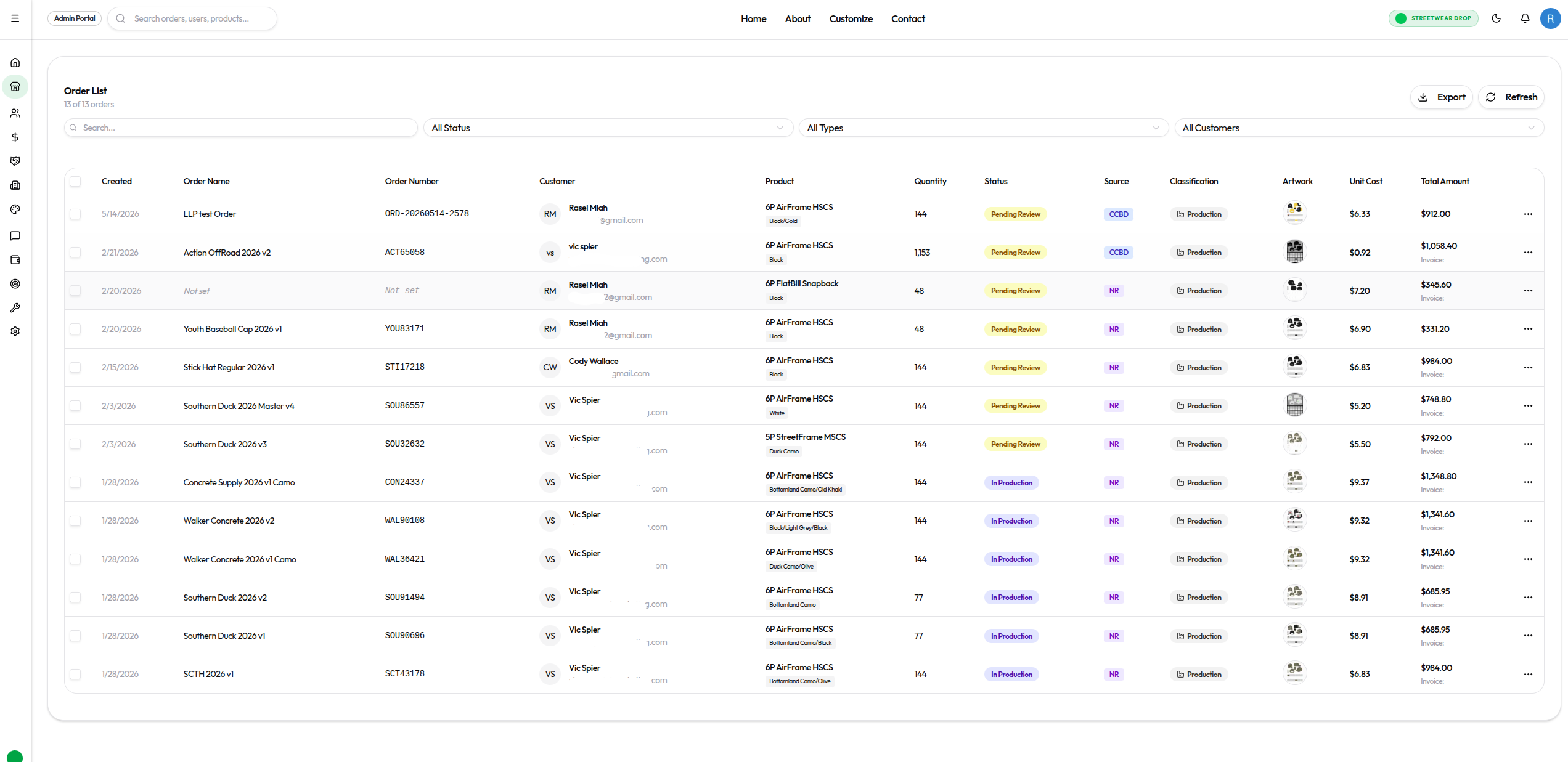
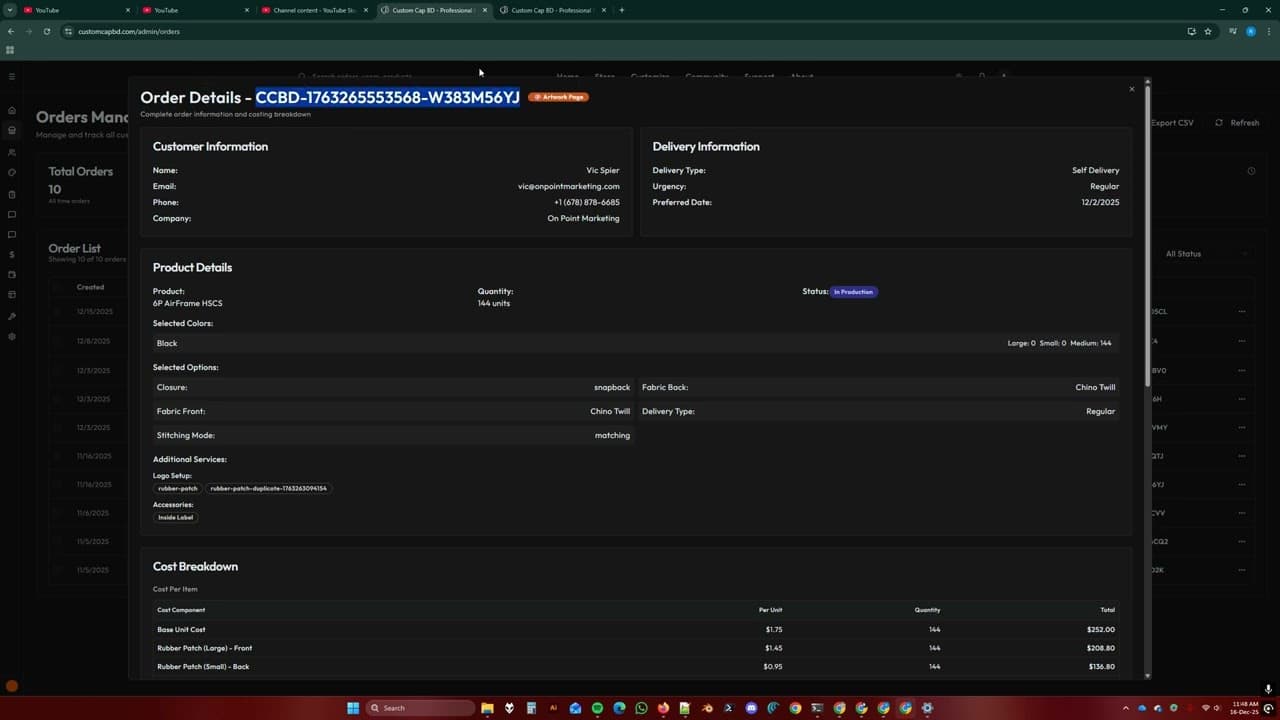
The operating stack is Next.js, Convex, Supabase, Clerk, and Sanity, with live order status, classification, artwork, and totals.
From the accounting page, I create an invoice directly from an existing order. The order automatically supplies the line items.
An operator can edit the lines, apply a discount, add a cost, and attach an existing client account. The resulting invoice is tied to the wholesaler account.
The walkthrough generates the invoice and downloads the finished PDF from the same operating surface.
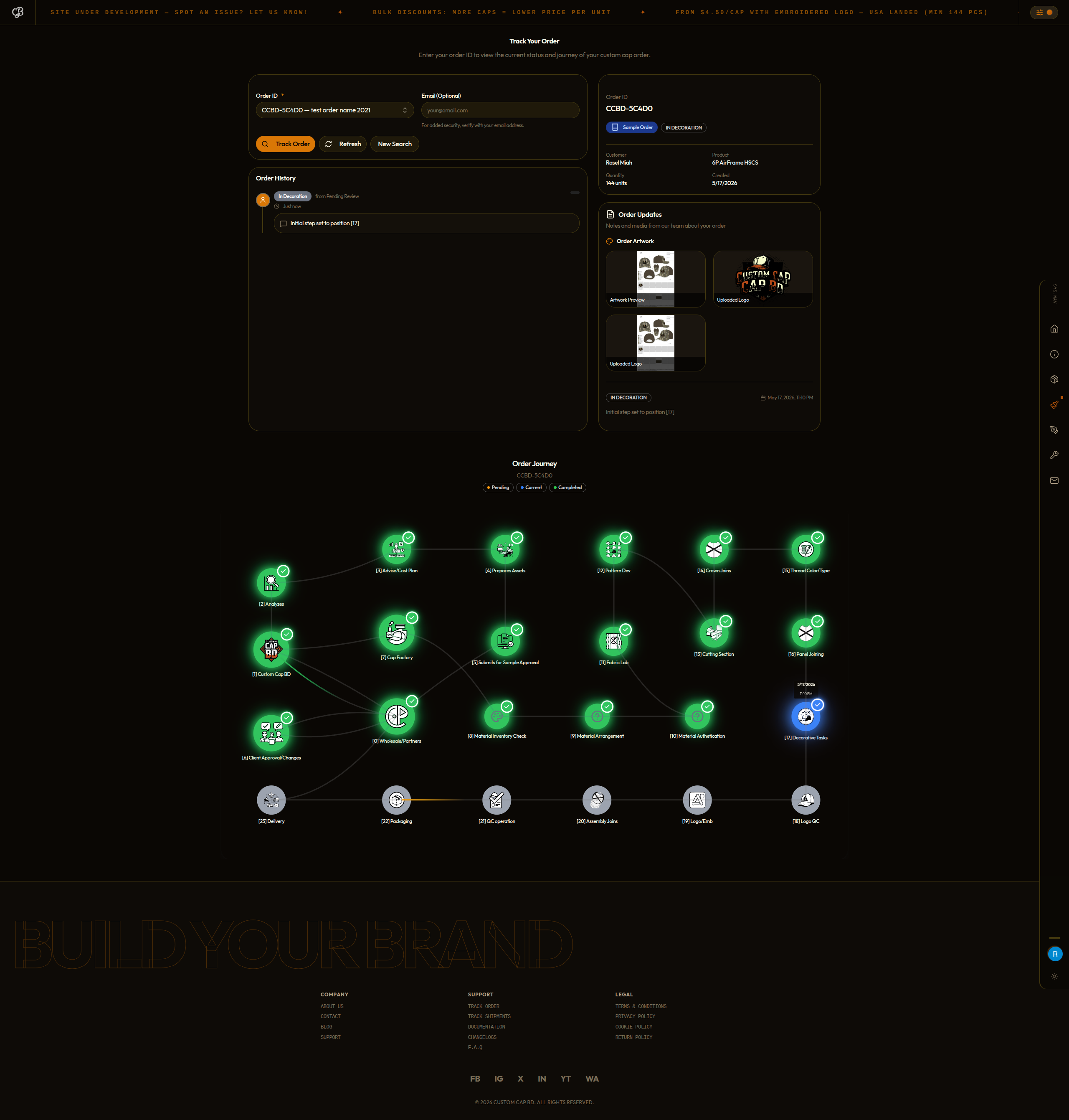
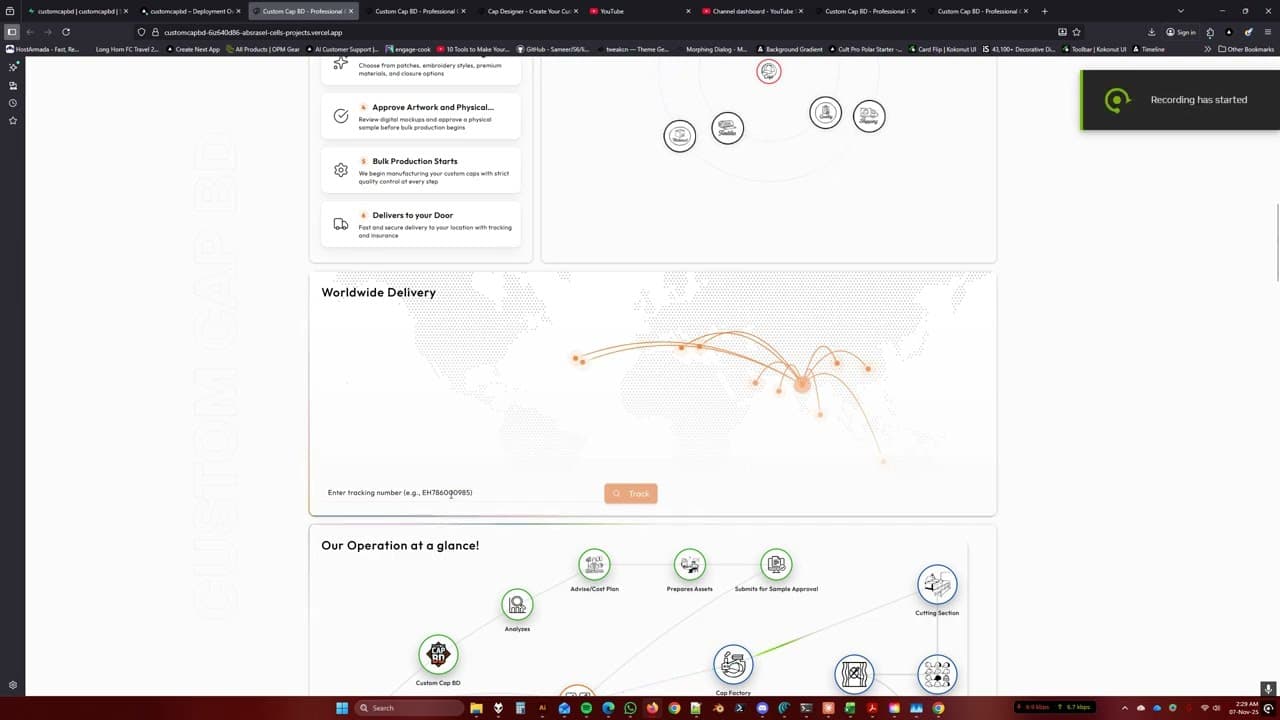
The customer opens the order-tracking page, finds the order in the list, and selects it to reveal the full status record.
Because the example order was only recently placed, it remains at the first production step. The page also gathers the production files the factory needs, including the artwork and logo, into the same customer-visible record.
The useful part is not any isolated screen. It is continuity: buyer choices become artwork, the approved artwork stays on the order, and the operating record becomes the customer’s tracking view.
Buyer
Cap, colour, fabric, size, quantity, decoration, and delivery intent.
Artwork
Logos and decoration are positioned against an exact cap specification.
System
Quantity tiers, decoration, options, and freight build one visible total.
Buyer + ops
The artwork record is reviewed before the order moves toward production.
Admin
Orders, revisions, invoices, payment state, and files stay attached.
Factory
The production team works from the same approved specification.
Customer
Milestones and order media surface back to the buyer.
Products, volume pricing, customization choices, quotes, and order submission.
Artwork sheets, approvals, assets, revisions, and factory-ready handoff.
Role-aware orders, invoices, status changes, accounting, and customer updates.
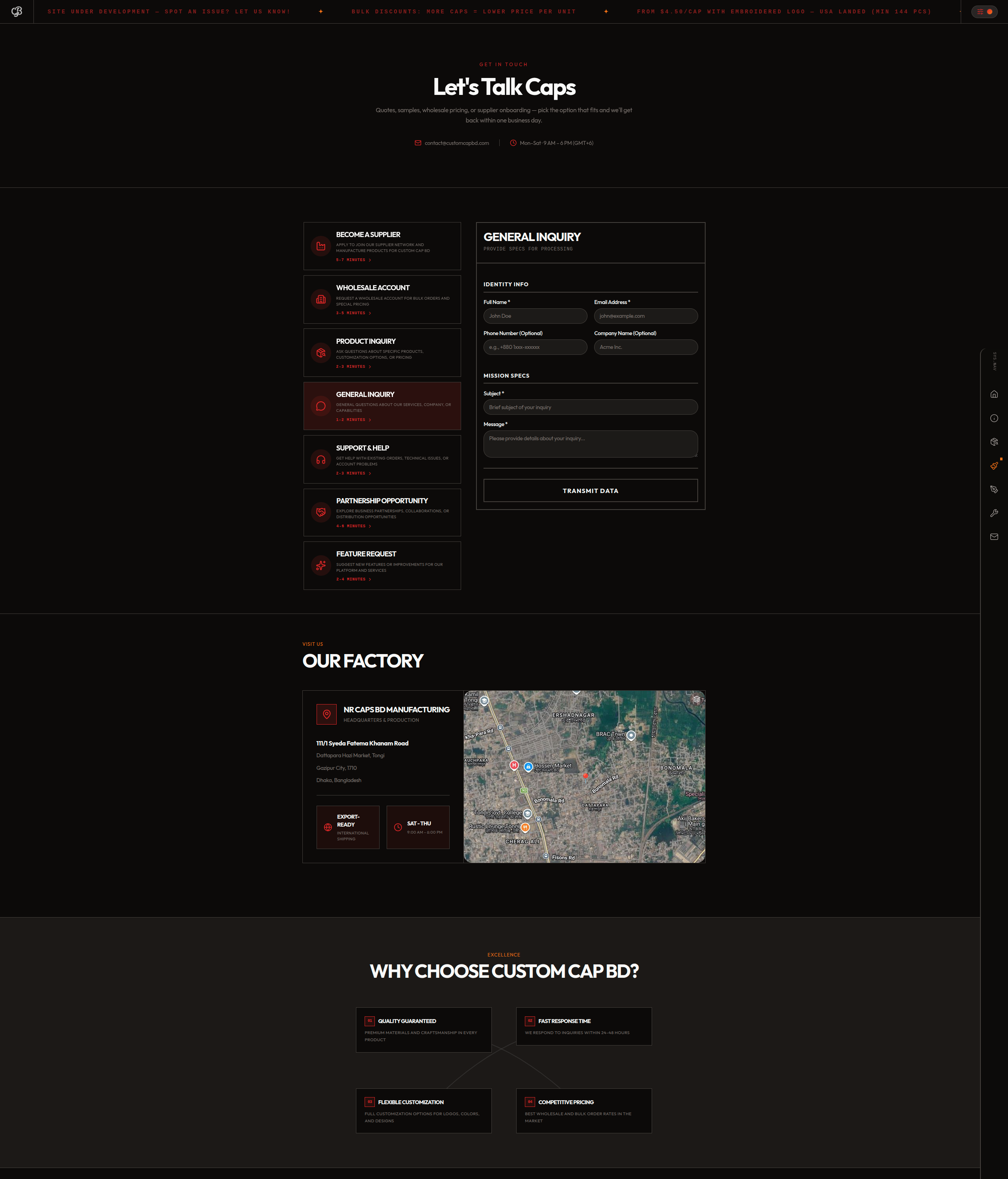
Custom Cap BD is the operational center of a wider cap ecosystem. Each partner has a different market role and public surface, while the shared engine keeps product, artwork, order, and production work connected.
Shared operating engine
The core product model joins the catalogue, customization record, order administration, generated documents, and production status used across the connected operation.
The sites do not perform the same job. Wholesale demand, supplier capacity, and marketing activity enter through different doors; Custom Cap BD provides the operating model that lets the wider ecosystem move as one business.
Each image opens at full resolution. Together they show the present visual system across artwork, orders, configurable products, production status, the storefront, and inquiry routing.
I own the product decisions and implementation across the buyer experience, factory workflow, data model, generated documents, deployment, and the operating tools around them.
The stack changed as the product matured. The durable decision is the model: one order and its approved production record should not be re-keyed between storefront, factory, invoice, and tracking tools.
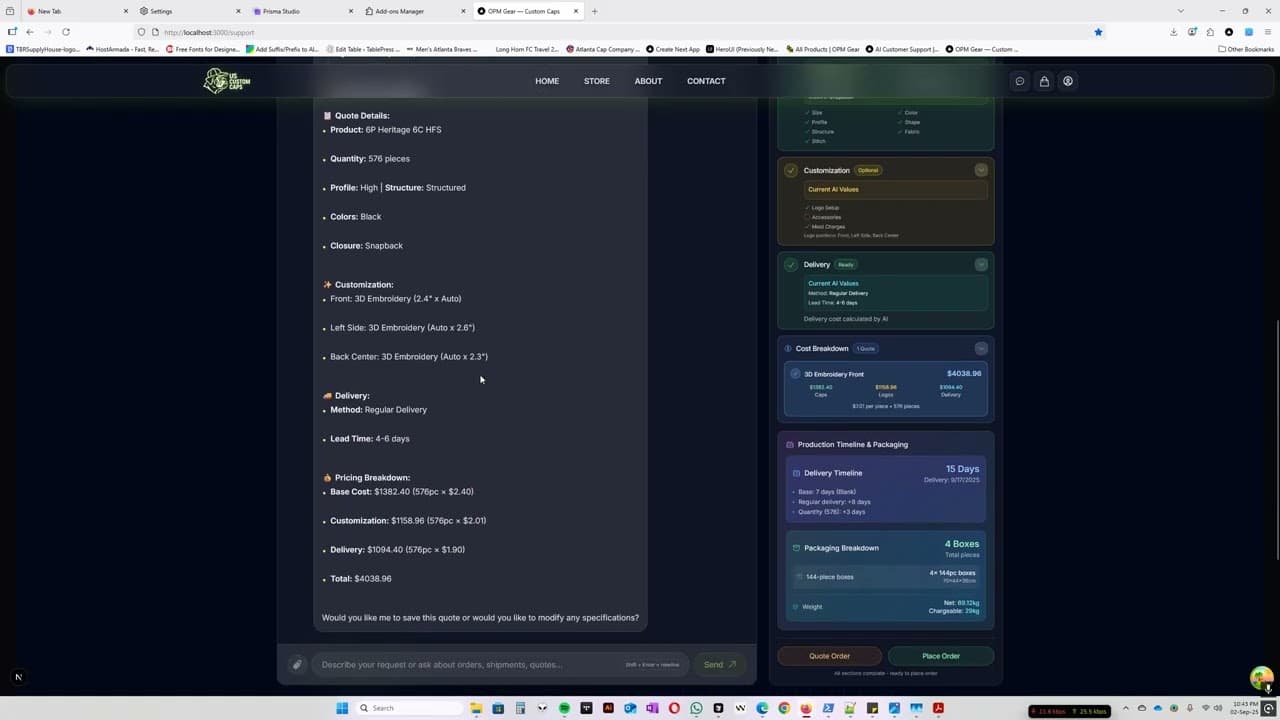
These YouTube walkthroughs document older Custom Cap BD interfaces. They remain useful as development history, but their screens are superseded by the current captures above and should not be read as the present product state.
Archive boundary: historical functionality and interaction ideas are preserved; visual details, navigation, and workflow states may no longer match the live platform.
Send me the workflow you are trying to replace, the people who touch it, and the point where information currently breaks. I will tell you what should be one system and what should stay separate.
Continue through the build record