How We Built a Multi-Agent AI System for Business Operations

redxtrm
Full-stack developer and business consultant specializing in Next.js, React, and e-commerce solutions.

Most businesses experimenting with AI start with a chatbot. We started there too — and quickly realized a single bot can't handle the complexity of real business operations. What we needed was a team of specialized AI agents, each with distinct responsibilities, working together like a well-coordinated staff.
This is the story of how we built that system, the architectural decisions that made it work, and the results after six months in production.
The Problem: One Bot Can't Do Everything
Our initial setup was a single AI assistant connected to WhatsApp. It answered customer questions, looked up orders, and drafted emails. It worked — barely.
The problems became obvious fast:
- **Context pollution**: Customer service conversations contaminated business strategy discussions
- **Permission chaos**: The same agent that talked to customers also had access to internal finances
- **Memory overload**: A single context window trying to remember everything remembered nothing well
- **No specialization**: Jack of all trades, master of none
We needed to think differently.
The Architecture: Specialized Agents with Shared Memory
We designed a multi-agent system with three core agents, each running independently with their own memory, tools, and access controls:
Agent 1: Business Operations Agent - **Channels**: WhatsApp (business number), Telegram group - **Responsibilities**: Customer inquiries, order management, invoicing, supplier coordination, inventory alerts - **Tools**: Order database, PDF generation, email integration, spreadsheet access - **Memory**: Customer history, order patterns, pricing rules, supplier contacts
Agent 2: Personal Assistant Agent - **Channels**: WhatsApp (personal number), Telegram DM - **Responsibilities**: Email management, calendar, research, personal task automation - **Tools**: Gmail API, Google Calendar, web search, file management - **Memory**: Contact preferences, meeting notes, personal context
Agent 3: Development & DevOps Agent - **Channels**: Telegram, CLI - **Responsibilities**: Code deployment, server monitoring, security audits, CI/CD pipeline management - **Tools**: Git, SSH, Docker, monitoring APIs - **Memory**: Server configurations, deployment history, incident logs
The Coordination Layer
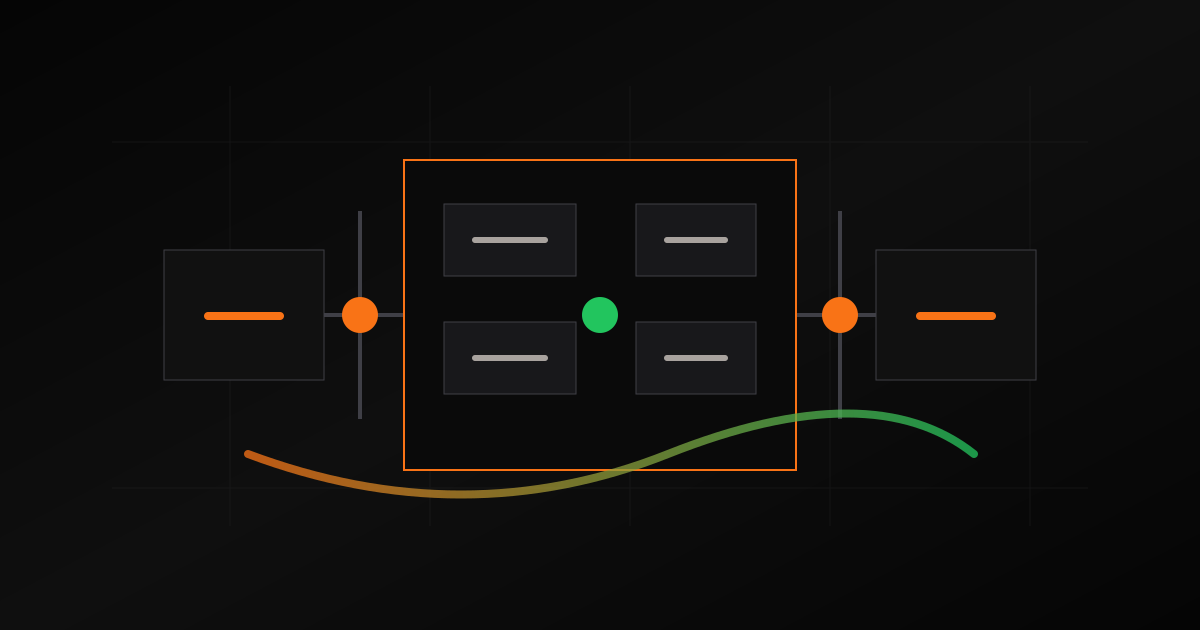
The agents share a read-only memory layer. Agent 1 can reference business context when Agent 2 needs to draft an email about an order. Agent 2 can check business status when scheduling meetings. But neither can write to the other's private memory — isolation prevents cross-contamination.
┌─────────────────────────────────────────────┐
│              Shared Memory Layer             │
│    (read-only cross-agent reference)        │
├──────────┬──────────────┬───────────────────┤
│ Agent 1  │   Agent 2    │     Agent 3       │
│ Business │   Personal   │     DevOps        │
│ Ops      │   Assistant  │     & Code        │
├──────────┼──────────────┼───────────────────┤
│ WhatsApp │   WhatsApp   │     Telegram      │
│ Telegram │   Telegram   │     CLI           │
│ Email    │   Email      │     Webhooks      │
└──────────┴──────────────┴───────────────────┘
Key Design Decisions
1. Persistent Memory Over RAG
Instead of retrieval-augmented generation (RAG) with vector databases, we opted for structured markdown-based memory files. Why?
- **Debuggability**: You can open a file and see exactly what the agent "knows"
- **Editability**: Fix a wrong memory by editing a line, not reindexing embeddings
- **Speed**: File reads are faster than vector similarity searches for small-to-medium knowledge bases
- **Reliability**: No embedding model drift, no retrieval failures
Each agent maintains categorized memory files: contacts, rules, lessons learned, meeting notes, and operational data. The system learns from mistakes — when an agent makes an error, the correction gets written as a permanent rule.
2. Tool Isolation with Escalation
Each agent has a defined toolset. The business agent can generate invoices but can't deploy code. The DevOps agent can restart servers but can't send customer emails.
When an agent needs something outside its scope, it escalates:
Customer asks about a technical integration →
  Business Agent recognizes it's a dev question →
    Delegates to DevOps Agent →
      DevOps Agent responds with technical details →
        Business Agent translates to customer-friendly language
This mirrors how a real team works. The sales person doesn't write code — they ask the developer and relay the answer.
3. Channel-Native Communication
Each channel (WhatsApp, Telegram, email) has its own behavioral rules:
- **WhatsApp**: Concise, emoji-light, quick responses. Customers expect speed
- **Telegram**: More detailed, supports formatting, good for internal coordination
- **Email**: Formal structure, proper signatures, attachment handling
- **Voice**: Natural language processing for phone inquiries (in development)
The same information gets delivered differently depending on the channel — just like a human would adjust their tone between a text message and a formal email.
4. Cron-Based Autonomous Tasks
The agents don't just respond — they proactively run scheduled tasks:
- **Morning briefing**: Email digest + calendar summary + pending orders at 8 AM
- **Inventory alerts**: Check stock levels every 4 hours, alert on low inventory
- **Follow-up reminders**: Auto-remind about unanswered customer inquiries after 24 hours
- **Security scans**: Weekly server security audits with automated reports
- **Report generation**: End-of-week business metrics and activity summaries
The Tech Stack
| Component | Technology |
|---|---|
| AI Engine | Large language model with tool-use capabilities |
| Memory | Structured markdown files with semantic search |
| Channels | WhatsApp Business API, Telegram Bot API, Gmail API |
| Scheduling | Cron-based job scheduler with heartbeat monitoring |
| Database | PostgreSQL for order data, file-based for agent memory |
| Hosting | Linux VPS with automated deployment |
| Monitoring | Health checks, error alerting, uptime tracking |
Results After 6 Months
Quantitative - **500+ customer inquiries** handled per month without human intervention - **Response time**: Average 8 seconds (was 2-4 hours with manual responses) - **Order processing**: 90% automated end-to-end - **Email management**: 50+ emails triaged and summarized daily - **Uptime**: 99.7% across all agents
Qualitative - Customers don't know they're talking to AI — the responses are contextual and natural - Business owner freed from routine tasks, focuses on strategy and relationships - Mistakes get permanently fixed — the system genuinely learns over time - Cross-timezone coverage: customers in the US get instant responses from a Bangladesh-based business
Lessons Learned
1. Start with Separation, Not Unification The instinct is to build one super-agent. Resist it. Specialized agents with clear boundaries outperform generalists every time.
2. Memory Management is Everything An AI agent is only as good as its memory. Invest heavily in how knowledge is stored, updated, and retrieved. Structured files beat vector databases for most business use cases.
3. Escalation Paths Are Critical Agents must know their limits. Build clear escalation paths — to other agents, or to humans. An agent that confidently gives wrong answers is worse than one that says "let me check and get back to you."
4. Test with Real Traffic, Not Demos Demo conversations are easy. Real customers ask ambiguous questions, send voice notes, forward messages out of context, and expect the agent to understand. Build for chaos.
5. The Human Must Stay in the Loop For high-stakes actions (sending emails, processing payments, publishing content), require human approval. Automation should amplify human judgment, not replace it.
What's Next
- We're expanding the system with:
- **Voice agent**: Phone call handling with real-time speech processing
- **Multi-language support**: Bangla and English seamlessly in the same conversation
- **Client-facing dashboard**: Let business owners see what their agents are doing
- **Agent marketplace**: Pre-built agent templates for common business operations
Want This for Your Business?
We build custom multi-agent AI systems tailored to your specific operations. Whether you need customer service automation, internal process optimization, or a complete AI operations team — let's talk.
The future of business operations isn't a chatbot. It's a team of intelligent agents working together, 24/7, getting smarter every day.
Tags